View on seller's websitePrices and availability are updated daily. Please confirm on the seller's website before buying.
Raspberry Pi Keyboard & Hub
DZD 4,900
View on seller's websitePrices and availability are updated daily. Please confirm on the seller's website before buying.
Description
Product Description:
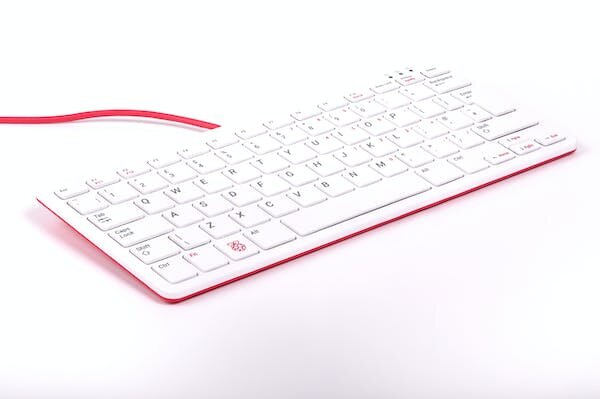
The official Raspberry Pi keyboard includes three USB ports for connecting external devices, available in raspberry red and white, or black and grey
Getting Started
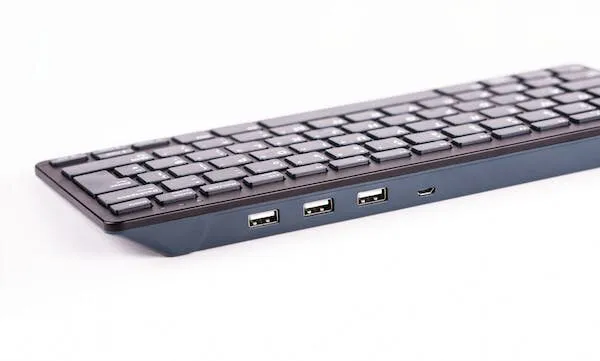
Our official keyboard includes three host USB ports for connecting external devices, such as USB mice, USB drives, and other USB-controlled devices.
The product’s micro USB port is for connection to the Raspberry Pi. Via the USB hub built into the keyboard, the Raspberry Pi controls, and provides power to, the three USB Type A ports
Features of the keyboard
The Raspberry Pi keyboard has three lock keys: Num Lock, Scroll Lock, and Caps Lock. There are three LEDs in the top right-hand corner that indicate which locks are enabled.
Num Lock – Allows use of the red number keys on the letter keys, effectively creating a numeric keypad. This mode is enabled and disabled by pressing the Num Lock key.
Caps Lock – Allows typing capital letters; press the Shift key to type lower-case letters in this mode. This mode is enabled and disabled by pressing the Caps Lock key.
Scroll Lock (ScrLk) – Allows use of the cursor keys for browsing web pages and spreadsheets without the mouse. This mode is enabled and disabled by pressing the ScrLk key while holding the Fn key.