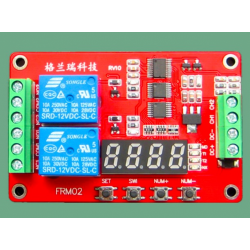
Temperature and humidity Controller with LCD, 2 relays and Sensor
DZD 6 000
Description
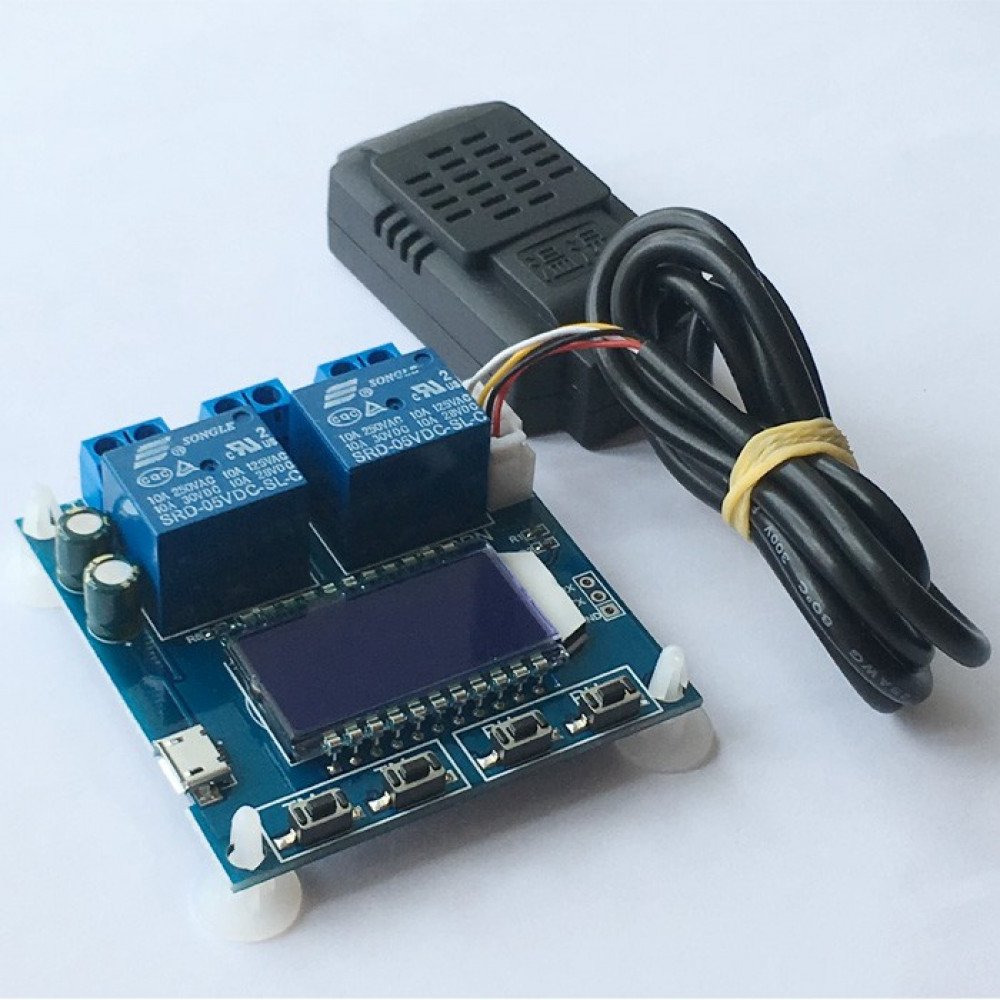
Temperature and humidity control module switch, automatic constant temperature and humidity control instrument panel
parameters:
- Name: Temperature / Humidity Controller
- Model: XY-TR01
- Humidity range: 0%~100%RH
- Temperature range: -20~60 degrees
- Control accuracy: 0.1 degrees / 0.1% RH
- Detection probe: integrated sensor
- Output type: relay output
- Output capacity: up to 10A
- Size: 57*60*20mm
Product Features:
Temperature function:
- the working mode is automatically recognized, The system automatically recognizes the operating mode based on the start/stop temperature
Start temperature > stop temperature, cooling mode 'C'; start temperature < stop temperature, heating mode 'H'.
Cooling mode
When the temperature > start temperature is detected, the relay is turned on, the red indicator light is on, and the refrigeration device starts to work;
When the temperature is detected <starting temperature, the relay is turned off, the red indicator light is off, and the cooling device stops working;
Heating mode
When the temperature is detected <starting temperature, the relay is turned on, the red indicator light is on, and the heating device starts to work;
When the temperature > start temperature is detected, the relay is turned off, the red indicator light is off, and the heating device stops working;
Temperature correction function OFE (-10 ~ 10 degrees)
If the system works for a long time, there may be deviations and it is difficult to correct this power;
Actual temperature = measured temperature + calibration value
How to set the start/stop temperature:
1. In the running interface, long press the 'TM+' button for more than 3s to enter the startup temperature setting interface. The test can modify the parameters through the TM+/TM- key. After the parameter modification is completed, wait for 6s to automatically exit and save;
2. In the running interface, long press the 'TM-' button for more than 3s to enter the stop temperature setting interface. The test can modify the parameters through the TM+/TM- key. After the parameter modification is completed, wait for 6s to automatically exit and save.
Humidity function:
1, the working mode is automatically recognized
The system automatically recognizes the working mode according to the starting humidity/stop humidity.
Start humidity > stop humidity, dehumidification mode 'D'; start humidity < stop humidity, humidification mode 'E'
Dehumidification mode
When detecting humidity > starting humidity, the relay is turned on, the green indicator light is on, and the dehumidification device starts to work;
When the detection temperature <start humidity, the relay is turned off, the green indicator light is off, and the dehumidification device stops working;
Humidification mode:
When the humidity is detected <starting humidity, the relay is turned on, the green indicator light is on, and the humidifying device starts to work;
When detecting humidity > starting humidity, the relay is turned off, the green indicator light is off, and the humidifying device stops working;
4, humidity correction function RH (-10~10 degrees)
If the system works for a long time, there may be deviations and it is difficult to correct this power;
Actual humidity = measured humidity + calibration value
How to set the start/stop humidity:
1. In the running interface, press and hold the 'RH+' button for more than 3s to enter the startup humidity setting interface. The test can modify the parameters through the RH+/RH- key. After the parameter modification is completed, wait for 6s to automatically exit and save.
2. In the running interface, press and hold the 'RH-' button for more than 3s to enter the stop humidity setting interface. The test can modify the parameters through the RH+/RH- key. After the parameter modification is completed, wait for 6s to automatically exit and save.