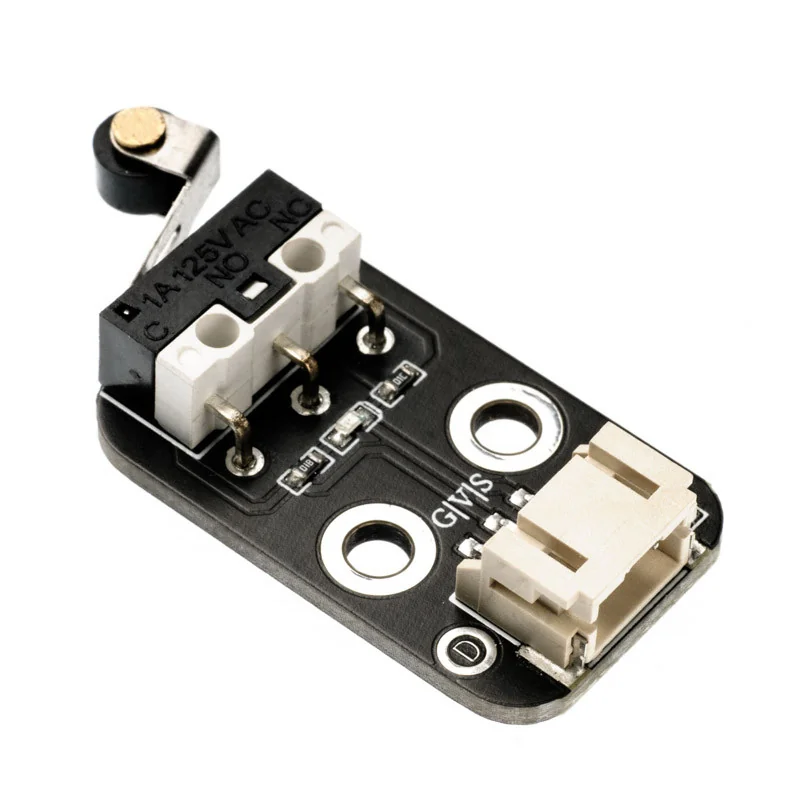
Mechanical Endstop Limit Switch Module HS-S31p - 3-Pin Connector, Precision Detection for 3D Printers and CNC Machines
DZD 350
Description
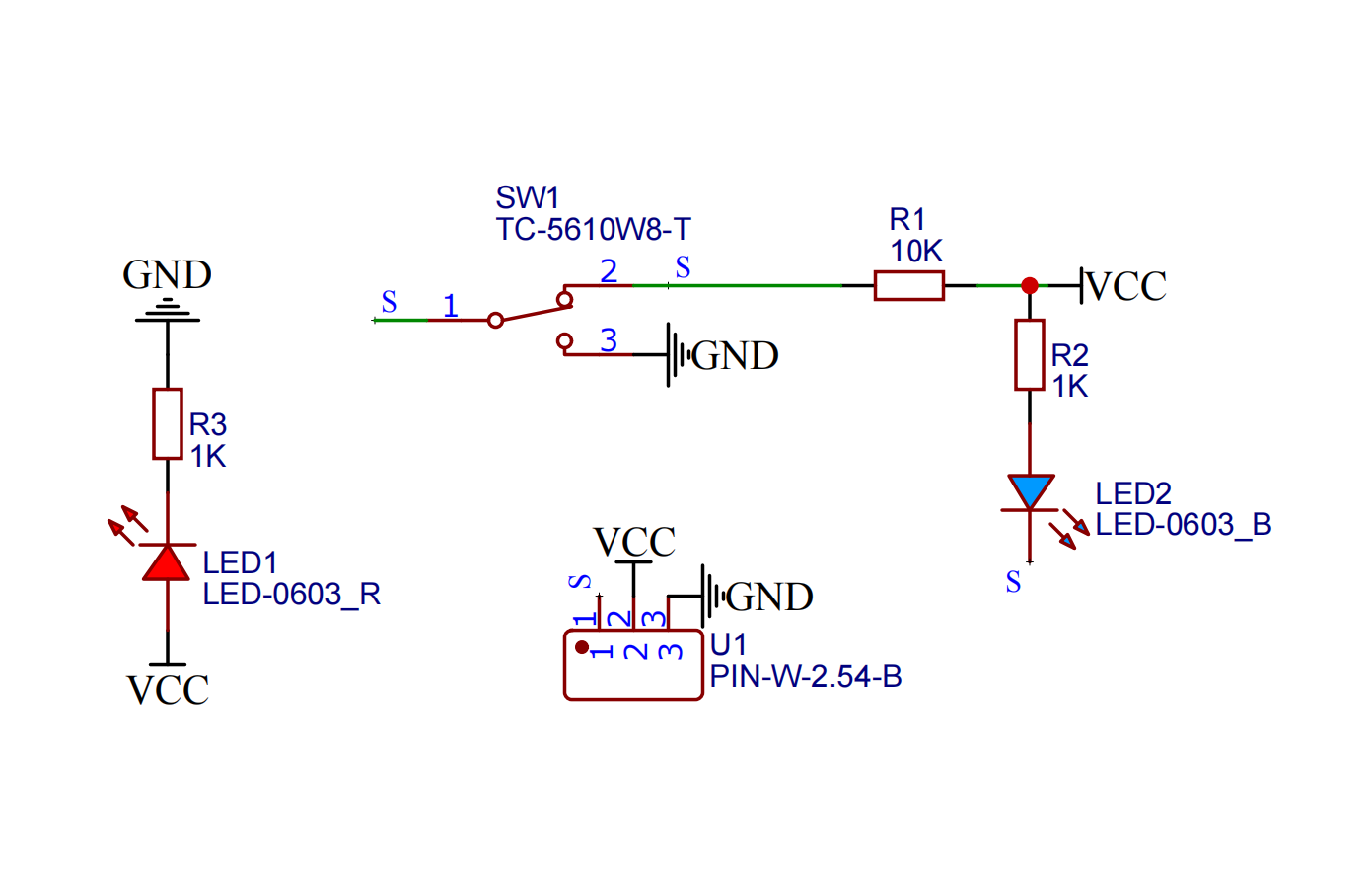
2. Schematic diagram
3. Module parameters
| Pin Name | describe |
|---|---|
| G | GND (negative pole of power input) |
| V | VCC (power input positive) |
| S | Digital signal pins |
Supply voltage: 3.3V / 5V
Connection method: PH2.0 terminal line
Installation method: double screw fixing
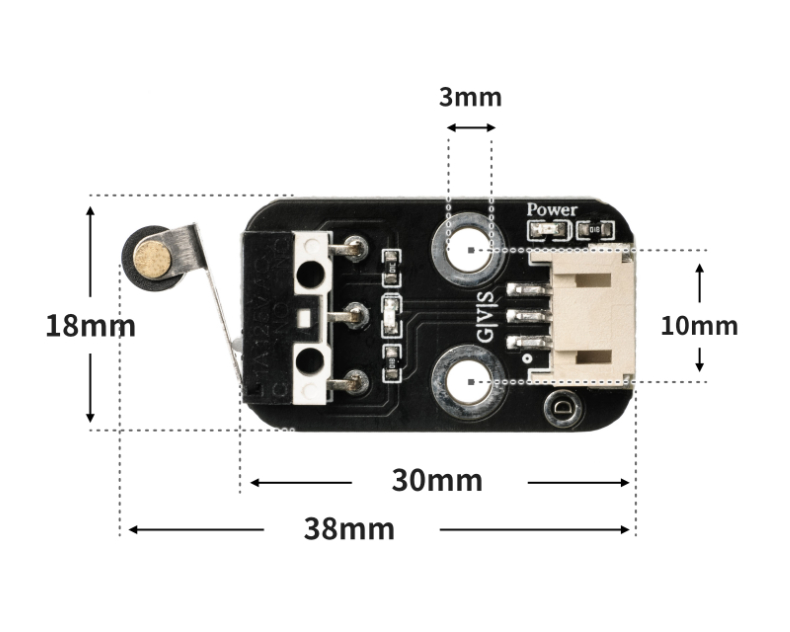
4. Circuit board size
Sample program (UNO development board):
int limitswitchPin = 4; //Set the collision switch to pin D4 int led = 6; //Set the LED light to D6 pin void setup() { Serial.begin(9600); //Set the serial port baud rate pinMode(limitswitchPin, INPUT); //Set the collision switch to input mode pinMode(led, OUTPUT); //Set led to output mode } void loop() { //Connect the collision switch to the D4 pin of the uno development board; connect the LED light module to the D6 pin if (digitalRead(limitswitchPin) == LOW) {//Press the collision switch Serial.println("Trigger the switch and light up the LED for 1 second"); digitalWrite(led, HIGH);//Light up the LED delay(1000); //delay 1S } else { Serial.println("No switch is triggered, LED is off"); digitalWrite(led, LOW); //Turn off LED } delay(500); }Sample program (ESP32 development board - based on Python language, can not use Arduino IDE to upload code):
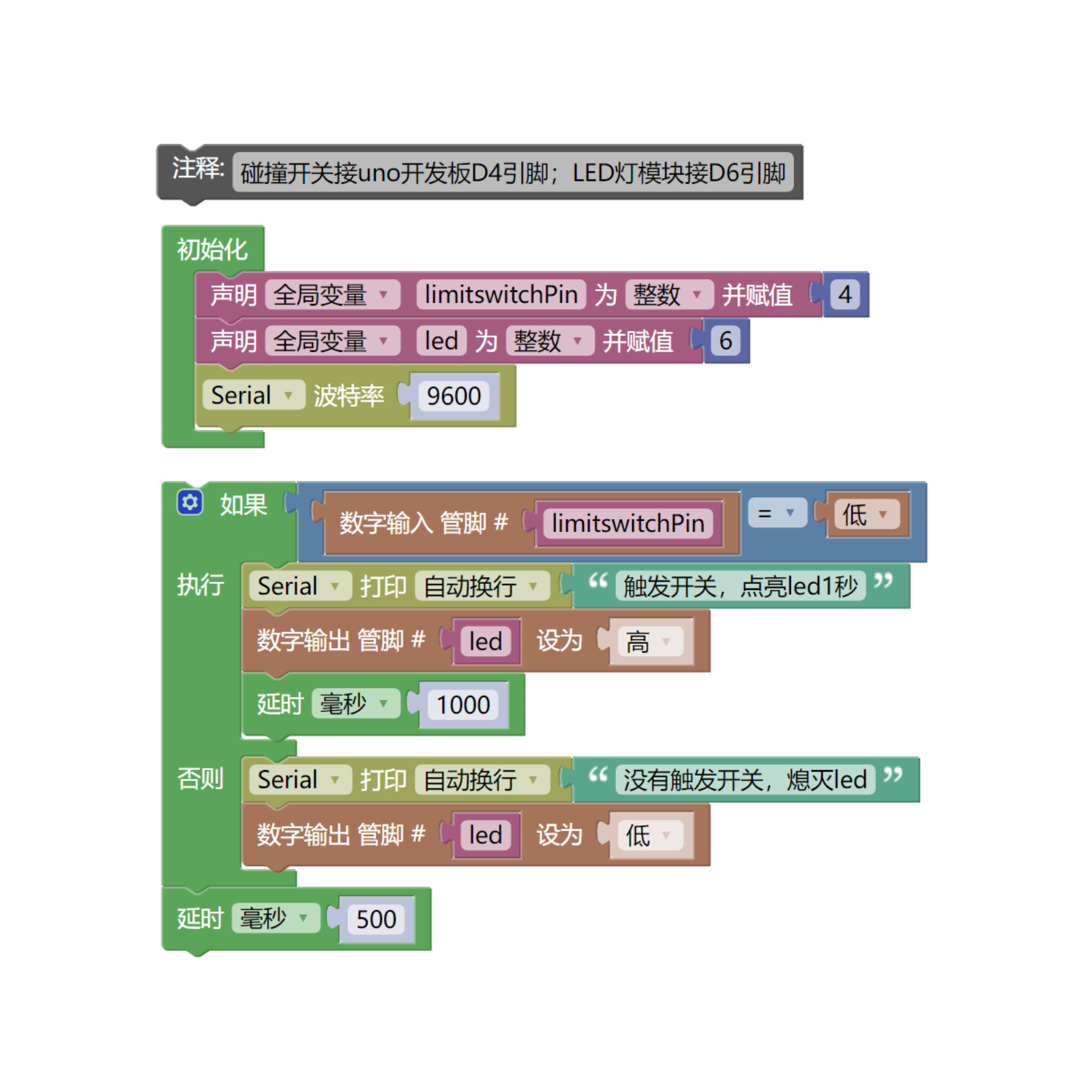
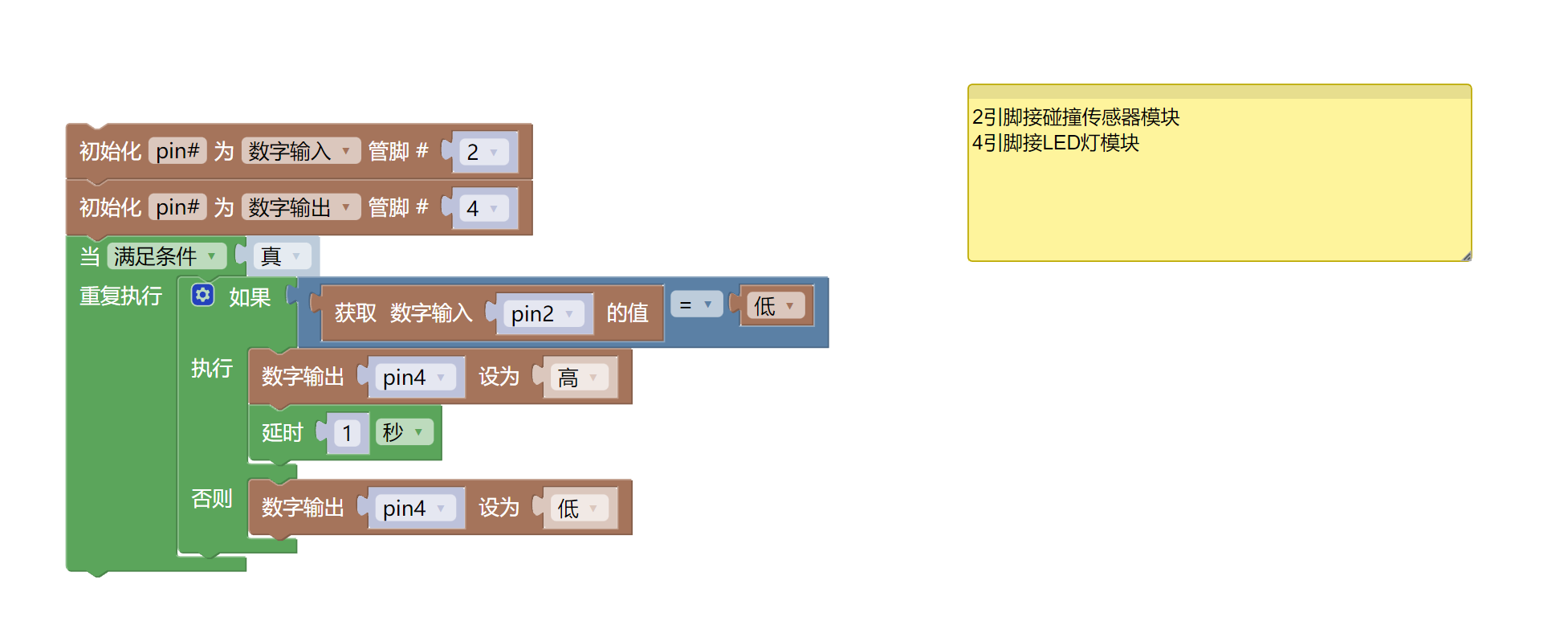
import machine import time pin2 = machine.Pin(2, machine.Pin.IN) pin4 = machine.Pin(4, machine.Pin.OUT) while True: if pin2.value() == 0: pin4.value(1) time.sleep(1) else: pin4.value(0)6. Mixly sample program (graphical language)
Sample program (UNO development board):
Sample program (ESP32 development board)
7. Test environment construction
Arduino environment construction
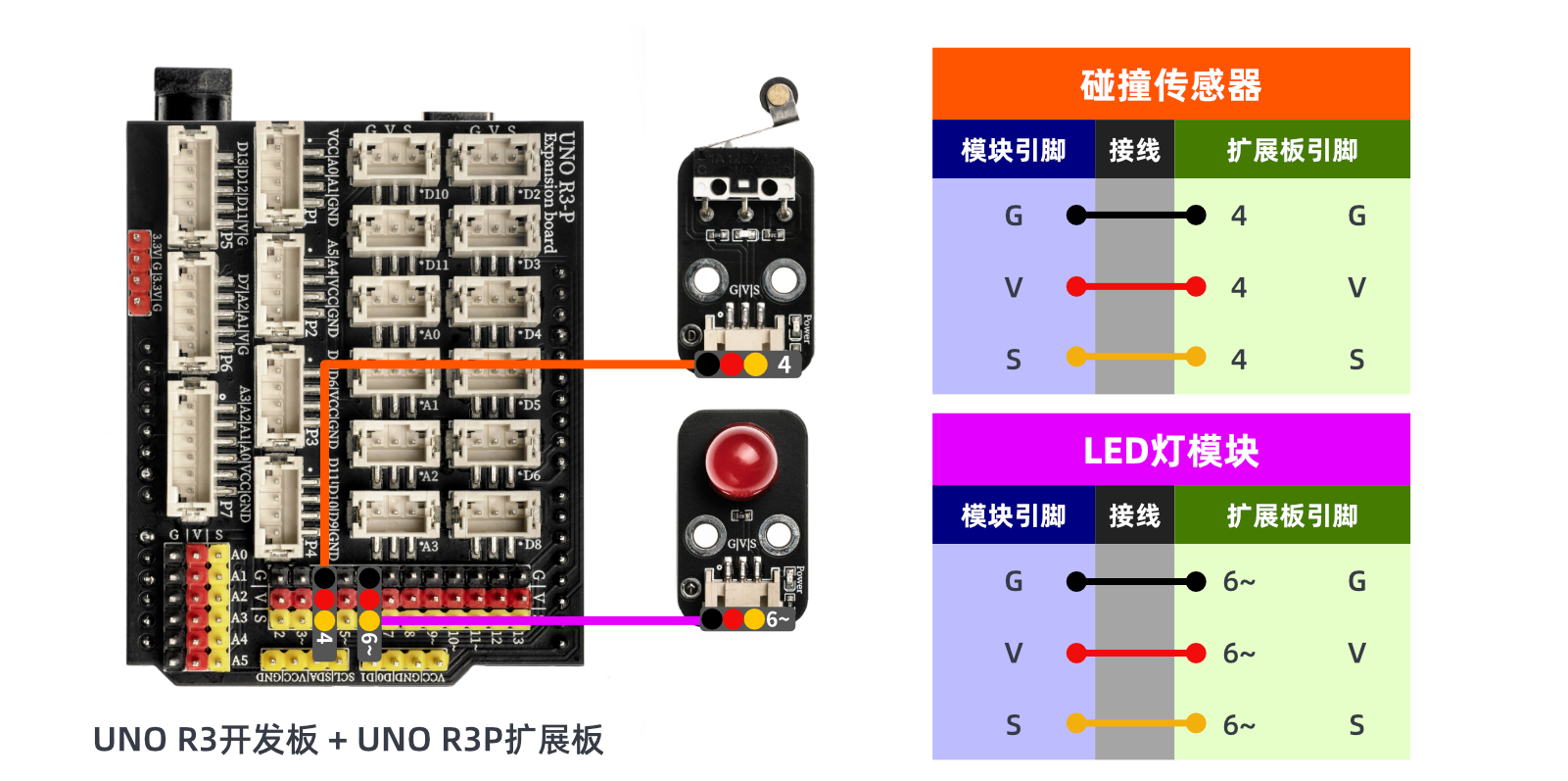
Prepare accessories:
- HELLO STEM UNO R3 development board*1
- HELLO STEM UNO R3 P expansion board*1
- USB type-c data cable*1
- LED light module (HS-F08P)*1
- Collision sensor module (HS-S31P)*1
- PH2.0 3P terminal to Dupont cable*2 or PH2.0 3P double-ended terminal cable*2
Circuit wiring diagram:
Micropython environment construction
Prepare accessories:
Circuit wiring diagram:
8. Video Tutorials
Video tutorial:
9. Test conclusion
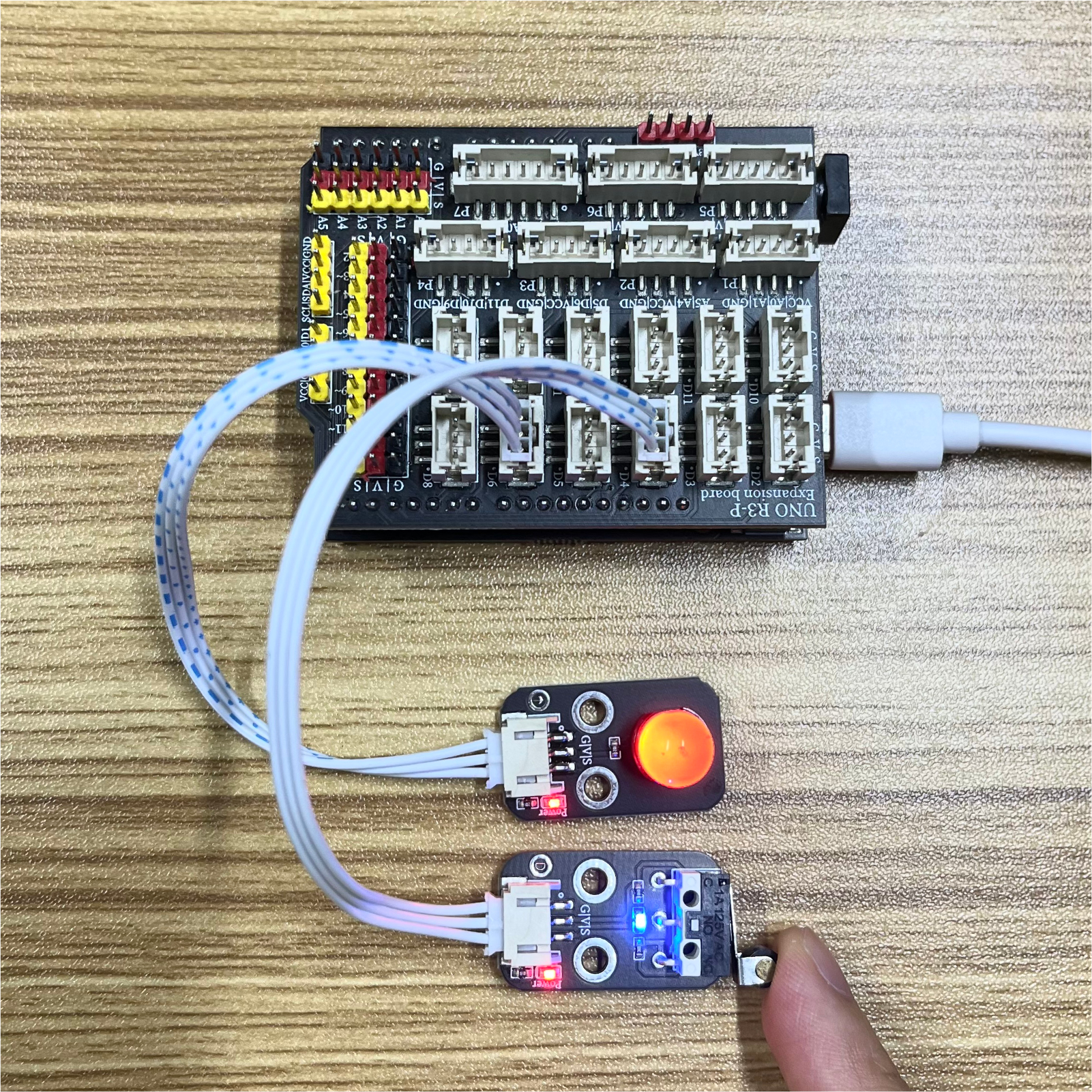
When the collision switch module is hit, the signal port of the collision switch module will output a low level. By judging the high and low level states of the signal port, the LED light is controlled to turn on and off. After the device is connected, burn the above program to the Arduino UNO development board, power on the mainboard, press the touch switch, the LED light turns on for 1 second, and the light turns off when it is released, achieving the purpose.


